
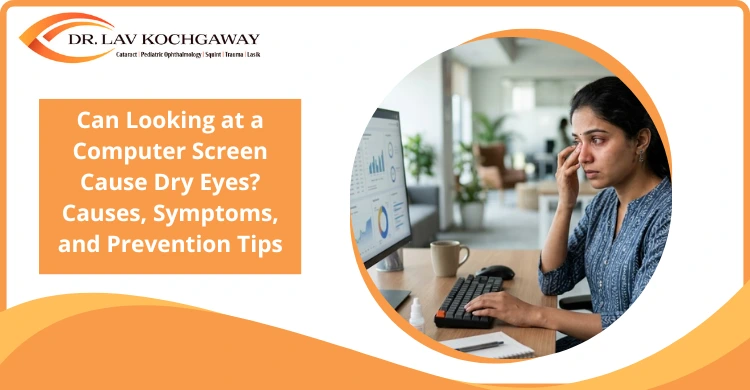
Computer use has become part of daily work, education, communication, and entertainment. Many people spend several hours looking at screens without realising how much strain this places on the eyes.
Burning, dryness, irritation, watering, and blurred vision after computer use are common complaints. These symptoms are often linked to digital eye strain and dry eyes. While occasional discomfort may settle with rest, repeated symptoms should not be ignored.
Prolonged screen use can affect blinking, tear stability, and eye comfort. Understanding the connection between computer screens and dry eyes can help you take better care of your vision.
Yes, looking at a computer screen for long periods can contribute to dry eyes. The main reason is reduced blinking.
Blinking spreads tears evenly across the eye surface. This tear layer keeps the eyes moist, smooth, and comfortable. During computer use, people tend to blink less often and may not blink completely. As a result, the tear film becomes unstable and evaporates faster.
This can lead to dryness, burning, irritation, watery eyes, and blurred vision. The problem may become worse in people who already have dry eye disease, wear contact lenses, or work in air-conditioned rooms.
Computer screens do not usually damage the eyes permanently in routine use, but prolonged screen habits can cause significant discomfort and affect daily work.
Several factors can make computer use uncomfortable for the eyes.
1. Reduced Blinking Rate: Blinking is essential for keeping the eyes lubricated. When looking at a screen, concentration increases and blinking reduces. Some people also keep their eyes open wider while staring at the monitor, exposing more of the eye surface. This allows tears to evaporate quickly, causing dryness and irritation.
2. Increased Tear Evaporation: Dry indoor environments can make symptoms worse. Air conditioning, fans, and direct airflow towards the face can dry the tear film faster. Poor workplace ergonomics can also contribute. A screen placed too high may force the eyes to open wider, increasing tear evaporation.
3. Prolonged Near Vision Tasks: Computer work requires continuous near focus. This can tire the eye muscles and cause difficulty shifting focus between the screen and distant objects. Long hours of reading, typing, editing, or online meetings may lead to eye fatigue and temporary blurring.
4. Existing Dry Eye Disease: People who already have dry eyes may notice stronger symptoms during computer use. The tear film may already be unstable, and reduced blinking can make discomfort more noticeable. Dry eye symptoms may also be more common in older adults, contact lens users, people with certain medical conditions, and those taking some medicines.
Computer-related dry eyes may affect one or both eyes. Symptoms may become worse towards the end of the day or after long screen sessions.
Common symptoms include:
Blurred vision during computer use can develop for several reasons. In most cases, it is temporary and improves after resting the eyes. However, frequent or persistent blurring should be evaluated by an eye specialist.
1. Eye Muscle Fatigue: Looking at a computer screen for long periods requires the eyes to focus continuously at the same distance. Over time, the focusing muscles become tired, making it harder to maintain clear vision. Some people may also notice temporary difficulty shifting focus from the screen to distant objects after prolonged computer use.
2. Dry Eye Affecting Vision: Reduced blinking during screen use causes the tear film to become unstable. Since the tear film forms part of the eye’s optical surface, an uneven tear layer can make text and images appear blurry, hazy, or fluctuate in clarity. People with existing dry eye disease often notice these symptoms more frequently.
3. Uncorrected Vision Problems: Blurry vision while using a computer may also indicate that your spectacle or contact lens prescription needs updating. Uncorrected refractive errors such as myopia, hyperopia, or astigmatism can increase eye strain during prolonged screen use. If blurred vision occurs regularly, persists after taking breaks, or is accompanied by eye pain, headaches, or redness, a comprehensive eye examination is recommended.
Treatment depends on the cause and severity of symptoms.
1. Lubricating Eye Drops: Artificial tears or lubricating drops may help improve eye comfort and support the tear film. These should be used as advised by an eye specialist, especially if symptoms are frequent.
2. Lifestyle and Workplace Changes: Small changes in screen habits, lighting, screen height, and room airflow can reduce dryness and eye fatigue.
3. Treating Underlying Dry Eye Disease: If dry eye disease is present, treatment may include tear film evaluation, eyelid assessment, and medicines or therapies depending on the cause.
4. Prescription Medicines: In moderate or persistent cases, prescription eye drops may be needed to reduce inflammation and improve tear function. These should not be used without medical advice.
Preventive habits can make computer work more comfortable.
Consult an eye specialist if symptoms continue despite basic changes.
Seek evaluation if you have:
Looking at a computer screen for long hours can contribute to dry eyes, watery eyes, eye fatigue, and temporary blurred vision. Reduced blinking, tear evaporation, poor screen habits, and existing dry eye disease are common reasons behind these symptoms.
Simple changes such as regular breaks, proper screen position, conscious blinking, hydration, and avoiding direct airflow can help. However, persistent symptoms need professional evaluation.
Dr. Lav Kochgaway provides comprehensive eye check-ups and personalised care for dry eye symptoms, digital eye strain, blurred vision, and other vision-related concerns. If screen use is affecting your eye comfort or work, schedule a consultation for accurate diagnosis and suitable treatment.
Yes. Even people with normal vision can develop dry eye symptoms during prolonged computer use because blinking reduces and the tear film evaporates faster.
Blurred vision may occur due to dry eyes, eye muscle fatigue, digital eye strain, or an outdated glasses prescription.
The screen may look blurry because the tear film becomes unstable or the eye muscles become tired after prolonged near focus.
Take regular screen breaks, blink fully, keep the screen slightly below eye level, avoid direct airflow, stay hydrated, and use lubricating drops if recommended by an eye specialist.